View your data files anywhere
LabChart Reader is a free application that allows you, your colleagues and students to share, view and conduct limited analyses of LabChart data.
Have you ever wanted to show LabChart data to a colleague interstate or overseas? Do you have a website where you'd like to showcase your findings? LabChart Reader is a free, reduced-functionality version of LabChart software that lets you share real data, not just static images.
Download Free
LabChart Reader is available for:
Features
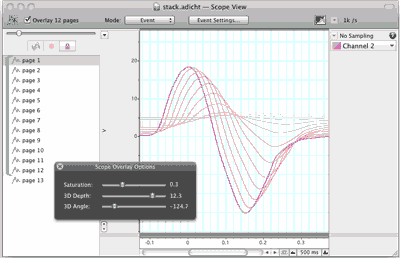
Display and Analyze
- LabChart calculations
- Cyclic measurement functions
- Scope View (shown above)
- XY Plot (Windows only)
- Spectrum
- Spirometry extension (Windows only)
- Cardiac Axis extension (Windows only)
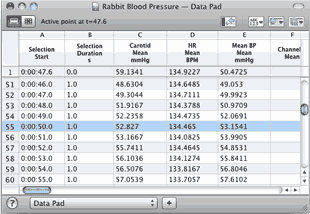
High-Speed Data Pad
Use LabChart Reader's Data Pad rapid, high-capacity data extraction and analysis to:
- Extract data to any number of rows
- Add multiple data sheets
- Apply formulae and calculations
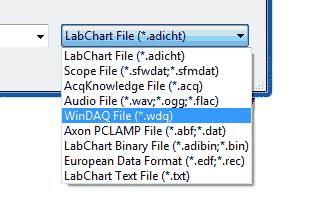
View Multiple Formats
- Open and view multiple LabChart data /files
- Open other file formats (WAV, EDF and many more)
- Share your data with colleagues
- Demonstrate real data in presentations
- Show research data during class demonstrations
Compare editions
| Main Features | LabChart Pro | LabChart | LabChart Pro Student License | LabChart Reader (Free!) |
|---|---|---|---|---|
| Analyze | checkmark | checkmark | checkmark | checkmark |
| Display | checkmark | checkmark | checkmark | checkmark |
| Record data | checkmark | checkmark | - | - |
| Full suite of Modules | checkmark | - | checkmark | - |
| Extensions | checkmark | checkmark | checkmark | - |
| 5 years of updates and upgrades to all LabChart software | checkmark | - | - | - |