

Student Direct Purchase (SDP) allows students in the United States to purchase access to an Lt course directly or activate their course using an access code purchased through their campus bookstore.
Students can access their course for up to 21 days without a license, giving them time to confirm their enrolment and purchase access.
Student Direct Purchase availability
Student Direct Purchase is available to customers in the United States.
How Student Direct Purchase works
Students are invited to an Lt course and can begin using their course before purchasing a license. They can then purchase access directly through Lt or activate their course using an access code.
Student receives an Lt invitation
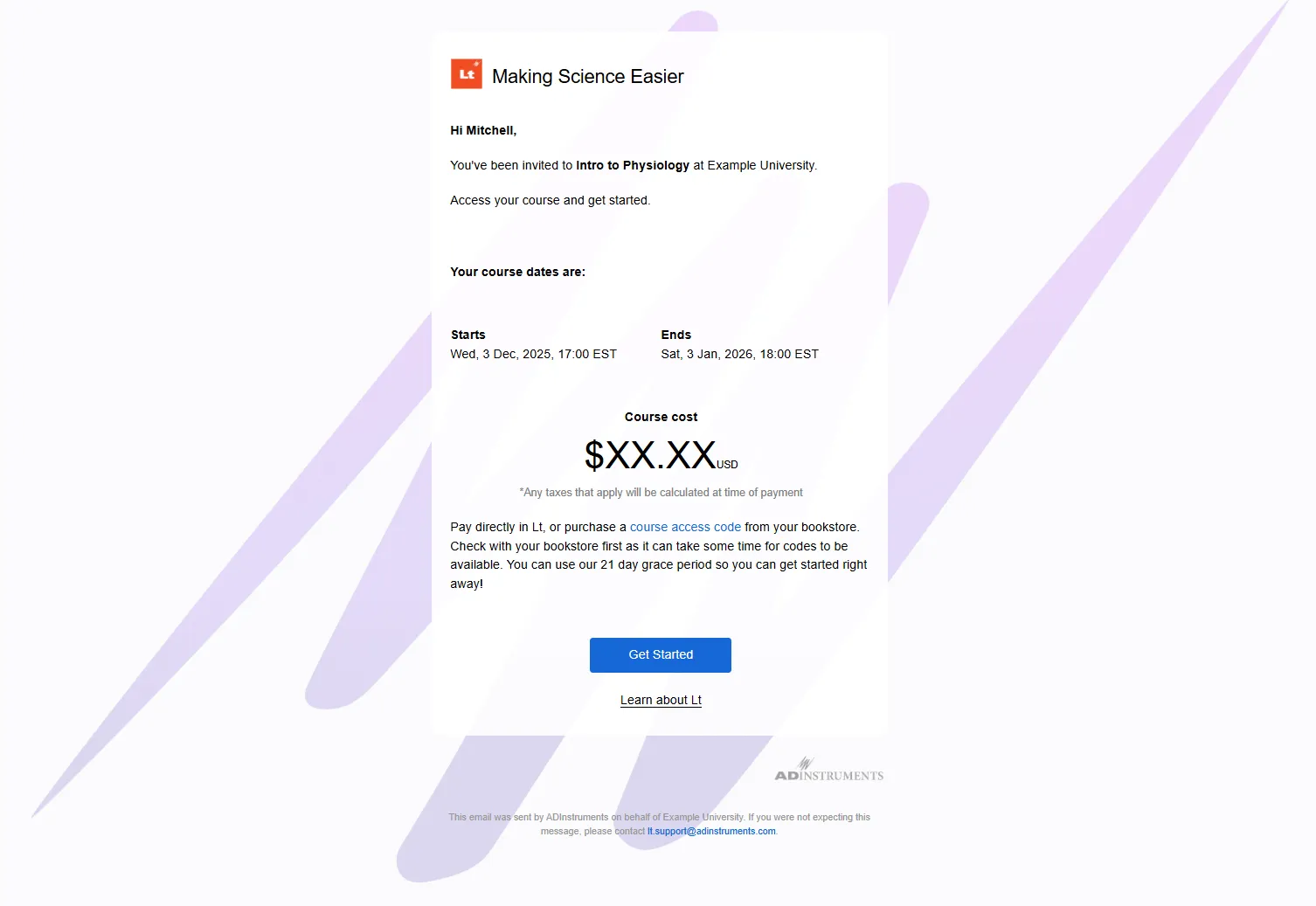
The student receives an email invitation to join an Lt course. They select Get started and create or connect their Lt account.
Student chooses how to access the course
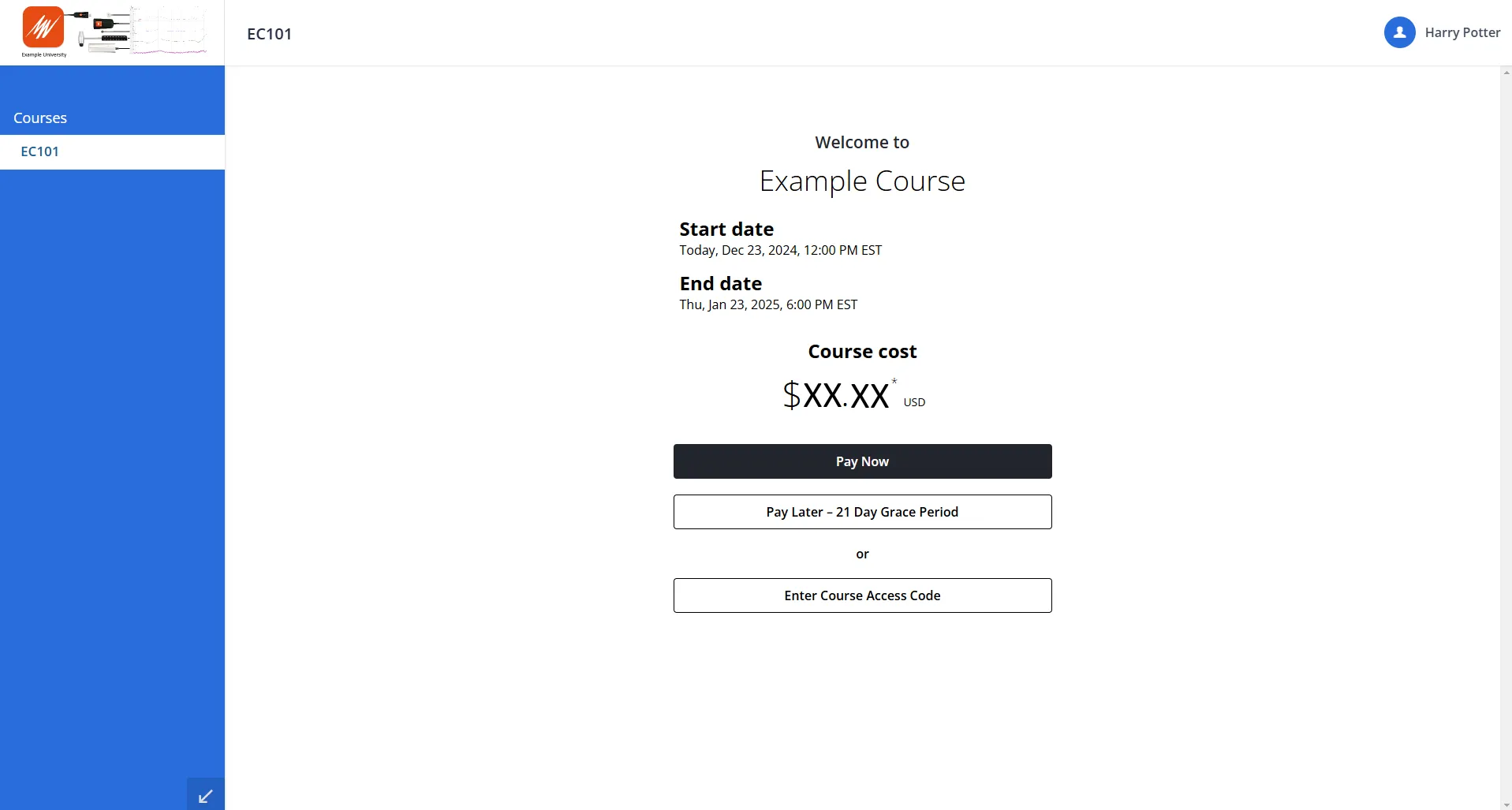
Before entering the course, the student can purchase access, enter a course access code, or begin their 21-day unlicensed access period.
Student activates course access
The student purchases access using Pay Now or enters an access code purchased through their bookstore. Once activated, they can continue accessing Lt for the duration of their course.
Purchase or activate course access
After accepting their invitation and setting up their Lt account, students are prompted to choose how they want to access their course.
Returning to Lt
After creating their Lt account, students can return to Lt and sign in using their email address and password.
21-day unlicensed access period
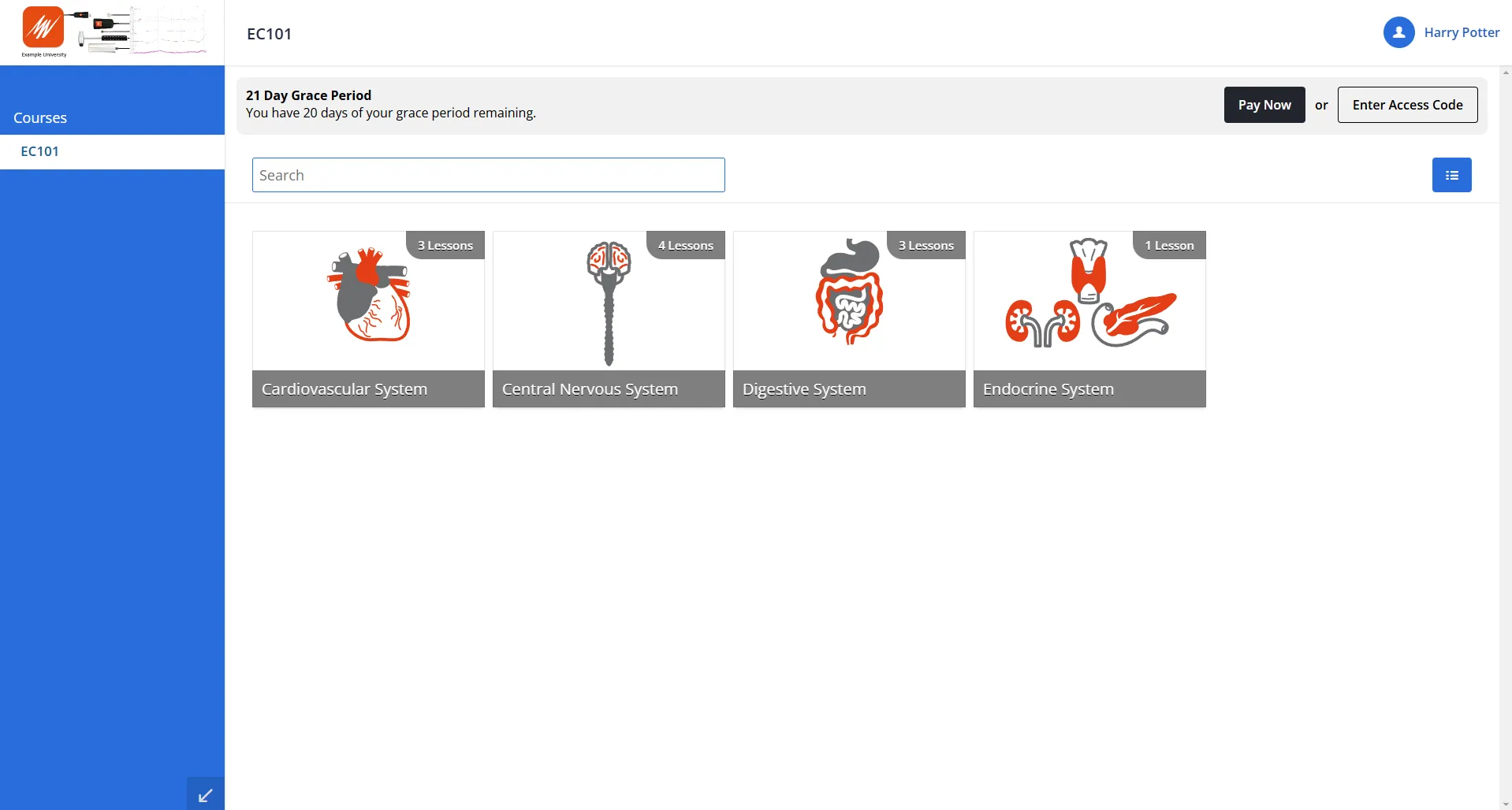
Students can use Lt without purchasing a license for up to 21 days. During this period, they can access their course without restrictions.
Remaining access is displayed in Lt
A banner at the top of Lt displays the number of days remaining. Students can select Pay Now or Enter Access Code from the banner at any time to activate their course access.
When the unlicensed access period expires
When the 21-day period ends, the student must purchase course access or enter a valid access code before they can continue using their Lt course.
Group logins
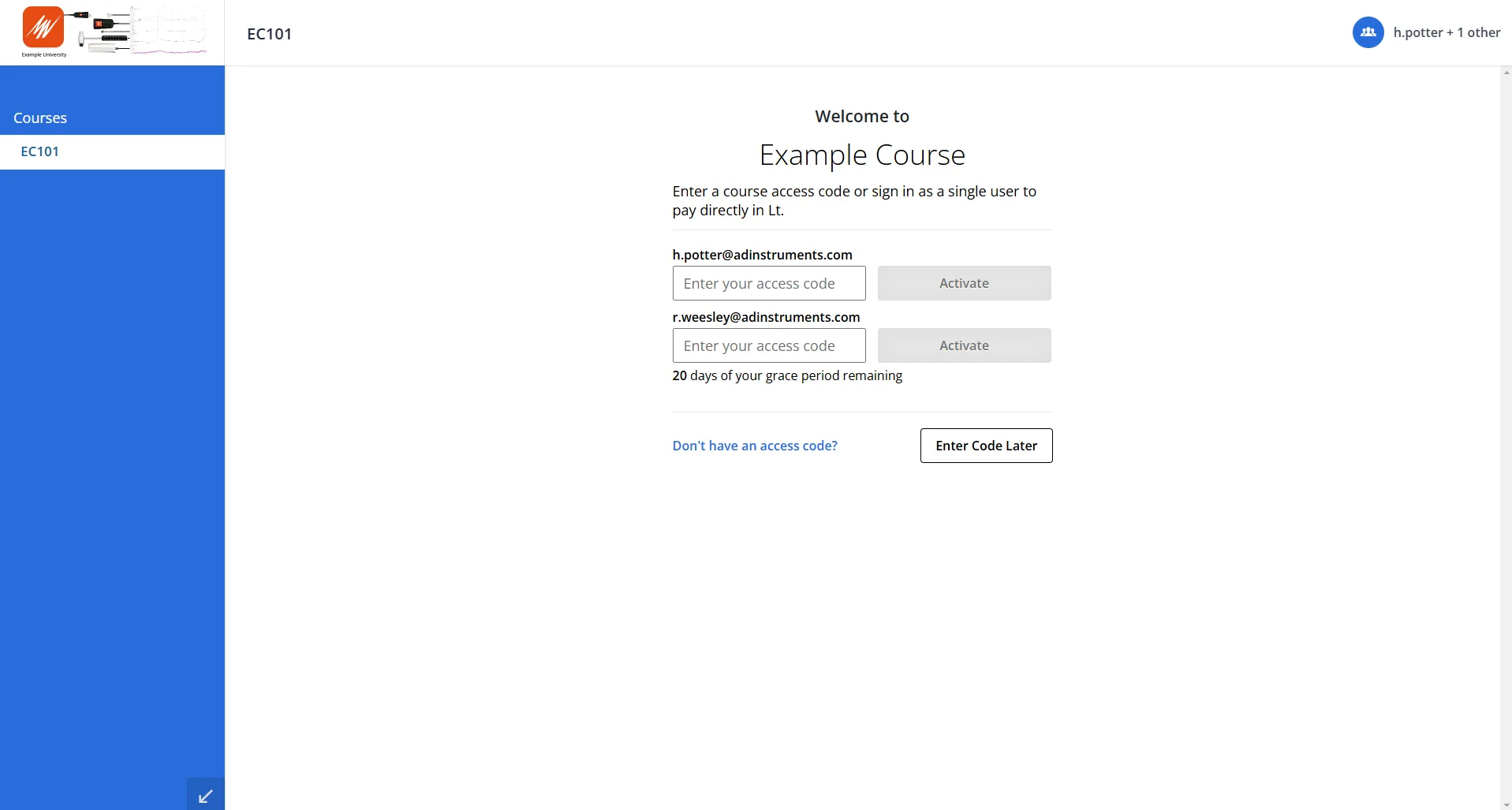
When students work together using a group login, each student in the group must be eligible to access the Lt course.
Every student in the group must either:
- Have valid course access; or
- Still be within their 21-day unlicensed access period.
If a student no longer has valid access, they will need to purchase course access or enter a valid access code before they can participate in the group login.
Security and refunds
Is the purchase process secure?
Yes. Lt uses a secure license distribution platform that complies with external data privacy and security regulations.
Can an access code be refunded?
Unused access codes can be refunded in full. Once an access code has been used, a refund is not available.
Students should use the 21-day unlicensed access period to confirm that they will remain in the course before purchasing or activating an access code.
Troubleshooting course access
If a student cannot access their course or activate an access code, check the following before contacting Support.
Still having trouble accessing the course?
If the student is unable to access their course after completing the checks above, contact ADInstruments Technical Support for assistance.