

The 21-day grace period in Lt allows students to access their courses immediately after accepting an Lt invitation, even if they have not yet entered an access code. This ensures students can start their coursework without delay.
What is the Grace Period?
The grace period is a 21-day window during which students can access Lt without needing an access code. This allows students to participate in their courses while arranging to purchase or obtain their code.
Note: If your institution provides access to students through institutional payments instead of individual access codes, the grace period does not apply.
When Does the Grace Period Start?
The grace period begins when a student accepts their Lt course invitation, logs in for the first time, and selects "Enter Code Later" when prompted for their Lt access code.
How Long Does the Grace Period Last?
The grace period lasts for a maximum of 21 days. During this time, students can enter an access code at any point to continue their access without interruption.
Who Does the Grace Period Apply To?
The grace period is exclusively for student users of Lt who have not yet entered an access code. This ensures students can access course content while arranging their enrollment or deciding on course changes.
For example, students considering dropping a course can utilize the grace period without using an access code, as codes cannot be refunded once activated.
How Do Students Know Their Grace Period is Over?
Students can see the remaining time of their grace period displayed within their course dashboard in Lt. If they select "Enter Access Code Now", they will also see how much time remains in their grace period.
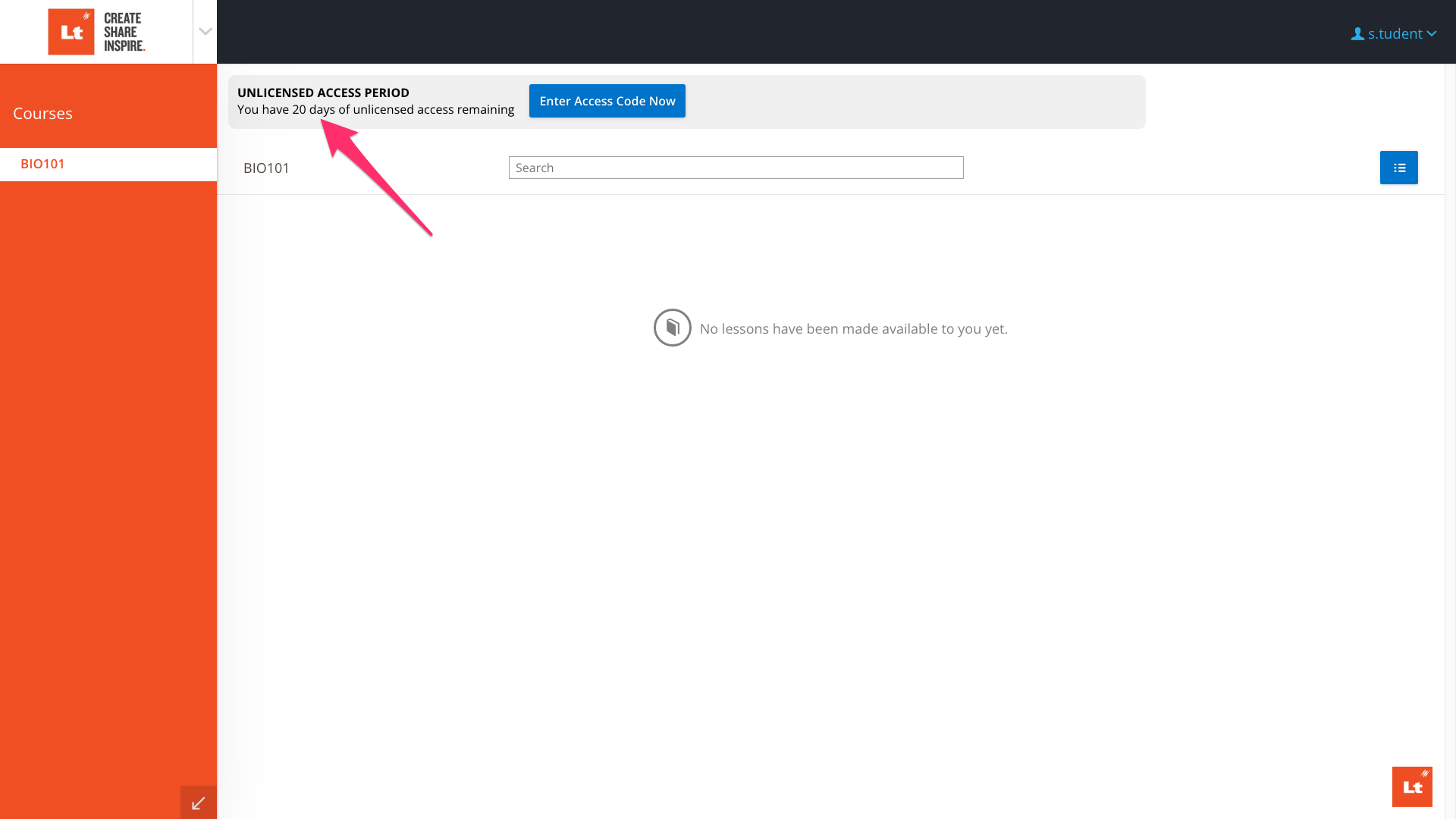
Fig. 1: Grace Period Time Remaining in Dashboard
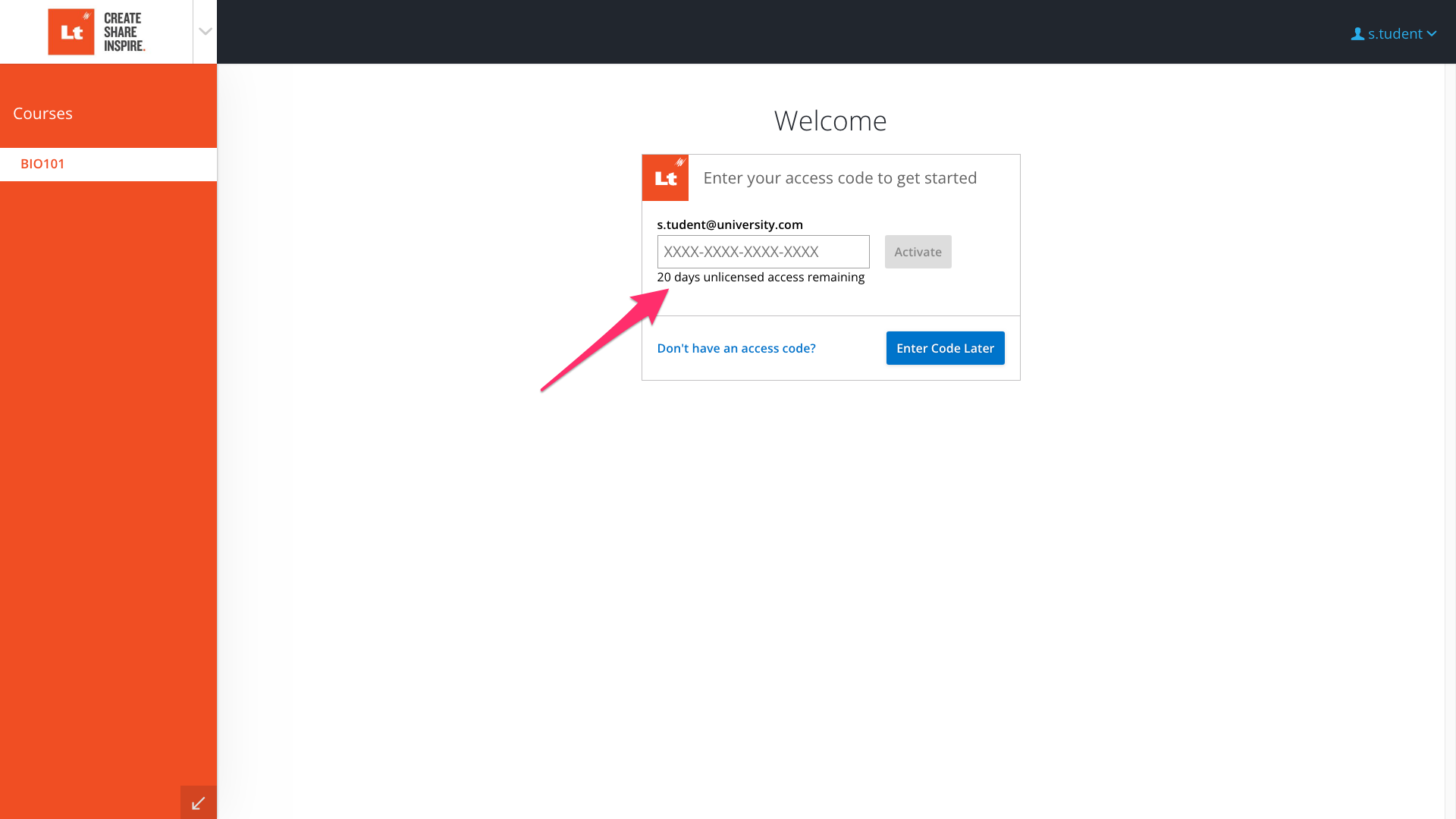
Fig. 2: Grace Period Time Remaining in Code Entry
Need Additional Help?
If you have further questions about grace periods or need technical assistance, please contact ADInstruments Technical Support. Be sure to provide the following information when contacting support:
- The name of your institution
- The name of the course(s)
- The email and name (with consent) of the affected student(s)
- A brief description of the issue and what you were trying to achieve