

Adding a Completion Page to your lesson allows Lt to automatically compile all questions from the lesson into a final report on the last page (referred to as the Report).
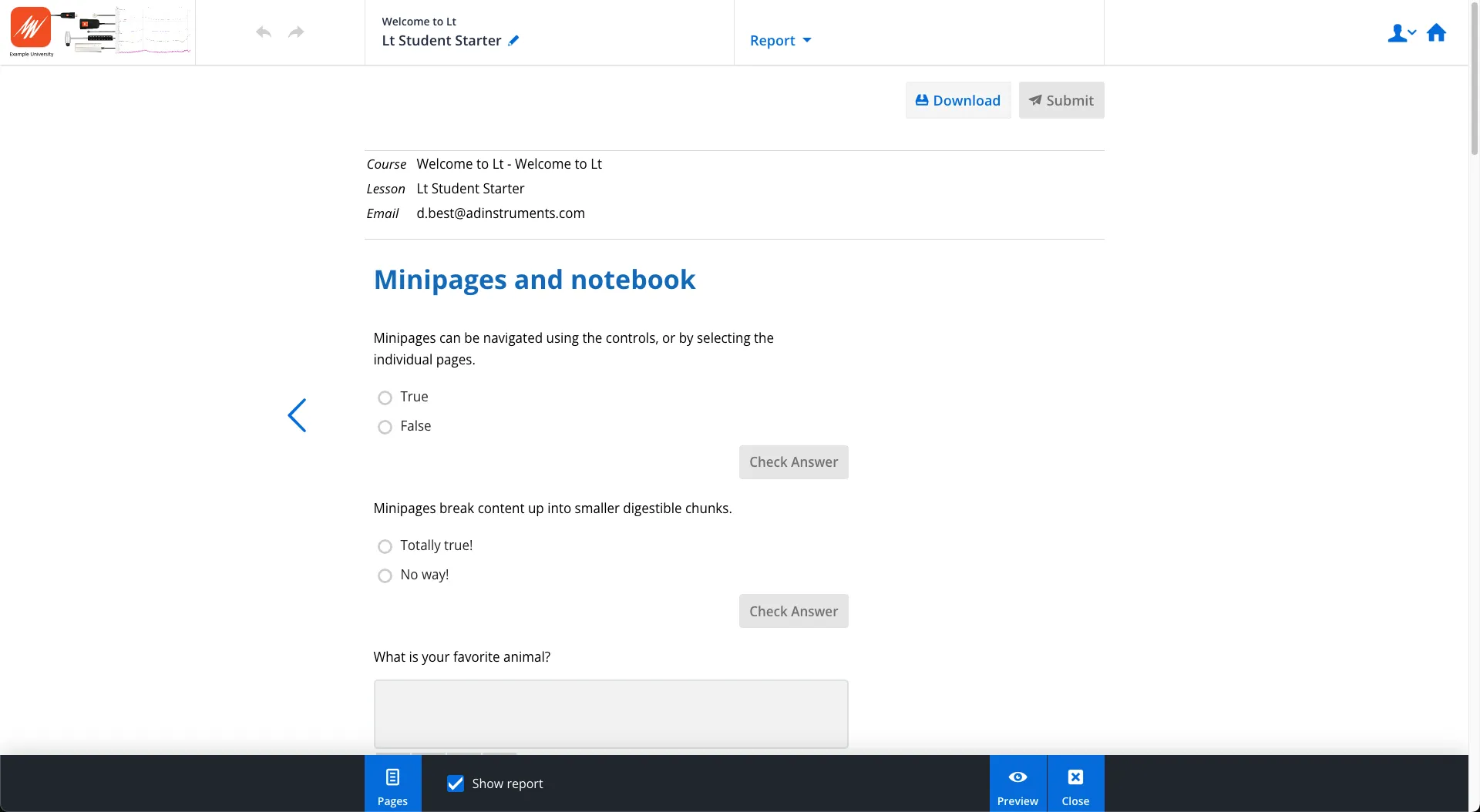
If the Show Report option is enabled, students can review their answers on this page and make edits (except for answers to questions preceding a checkpoint). For courses with PDF grading enabled, students will have the option to download their report as a PDF. Additionally, if configured in Course Settings, they may submit their report directly to an instructor.
Configuring PDF Report Settings
If your course uses the PDF Grading workflow, you must configure the PDF Report settings to enable email submission of lesson reports. Without this configuration, students will not be able to submit reports directly to instructors.
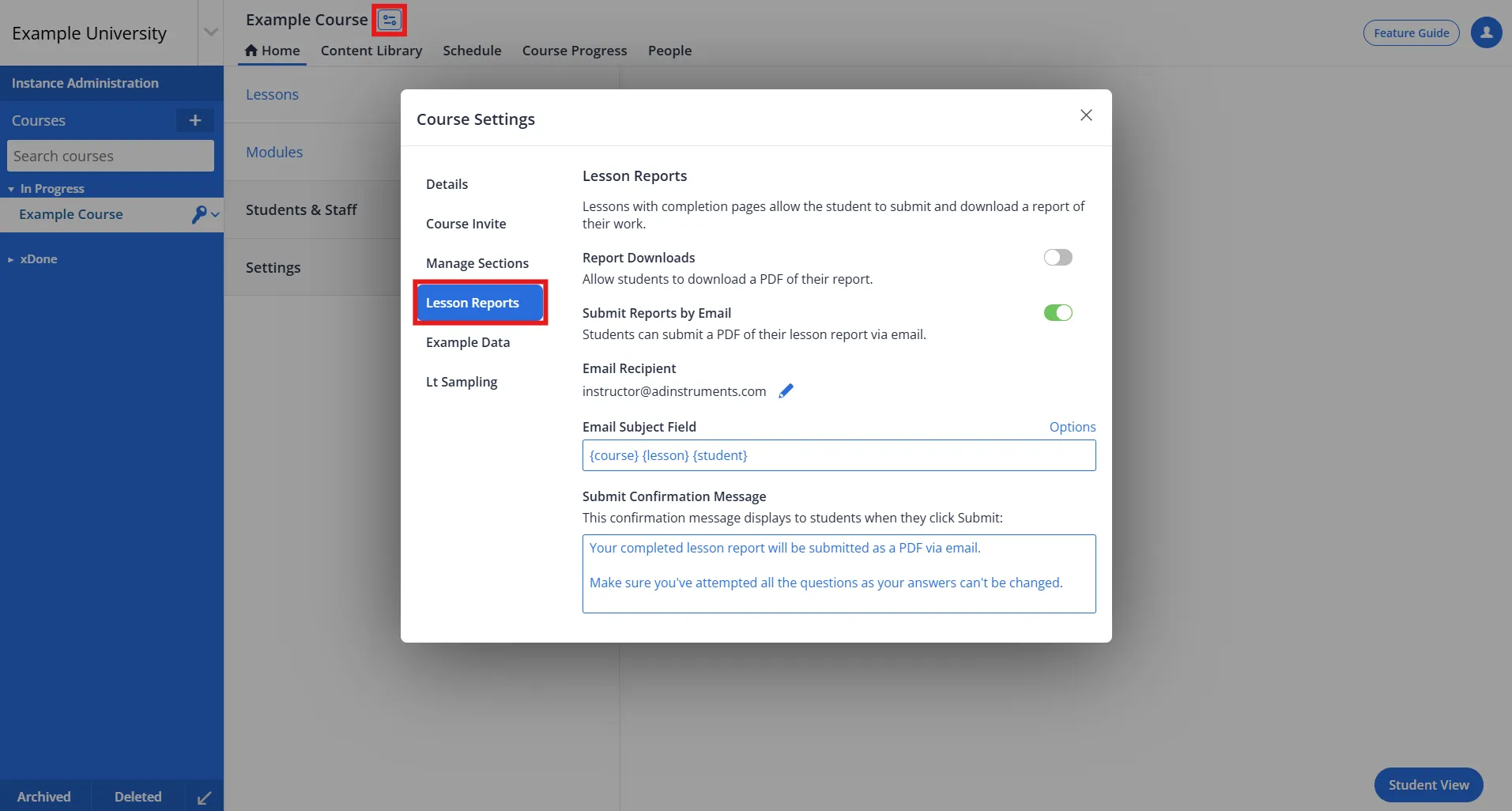
- Navigate to Course Settings and select Lesson Reports.
Note: This option will only appear if you are a Course Administrator. - Toggle the desired PDF Report options on or off.
PDF Report Options
- Report Downloads: Allows students to download their reports as PDFs.
- Submit Reports by Email: Enables students to:
- Submit their reports directly to a Course Administrator or Author via email.
- Download the report as a PDF for their records.
Configuring the Email Settings Fields
Recipient
The Recipient field is automatically populated with the Course Administrator's email address. If needed, you can replace it with an alternative email address. Note that only one email address can be entered in this field.
Subject
This field defines the subject line of the report submission email. By default, the subject includes the following placeholders: {course} {lesson} {student_name}. You can customize the subject as needed.
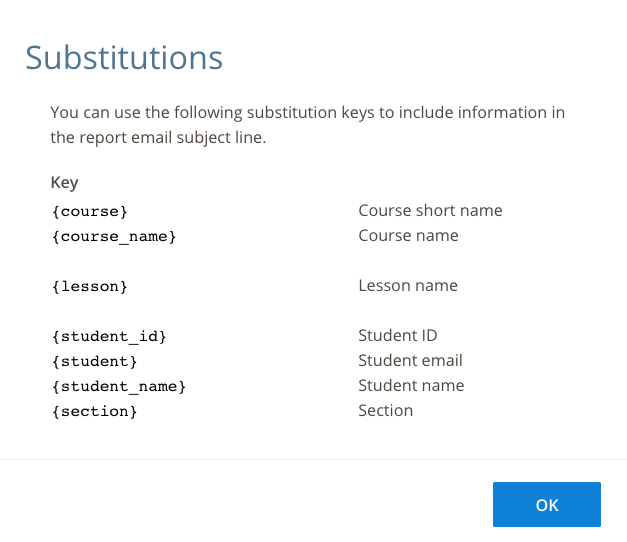
To view all available placeholders, click Email Substitution Options. Use these substitution keys to include specific information in the subject line.
Student Submission Prompt
This field contains default text displayed to students when submitting their reports. You can customize this text to better align with your course requirements.