

The Lt Sampling app is a data acquisition software specially designed to communicate PowerLab Sensor(s) data to Lt. It also supports any future sensor hardware releases.
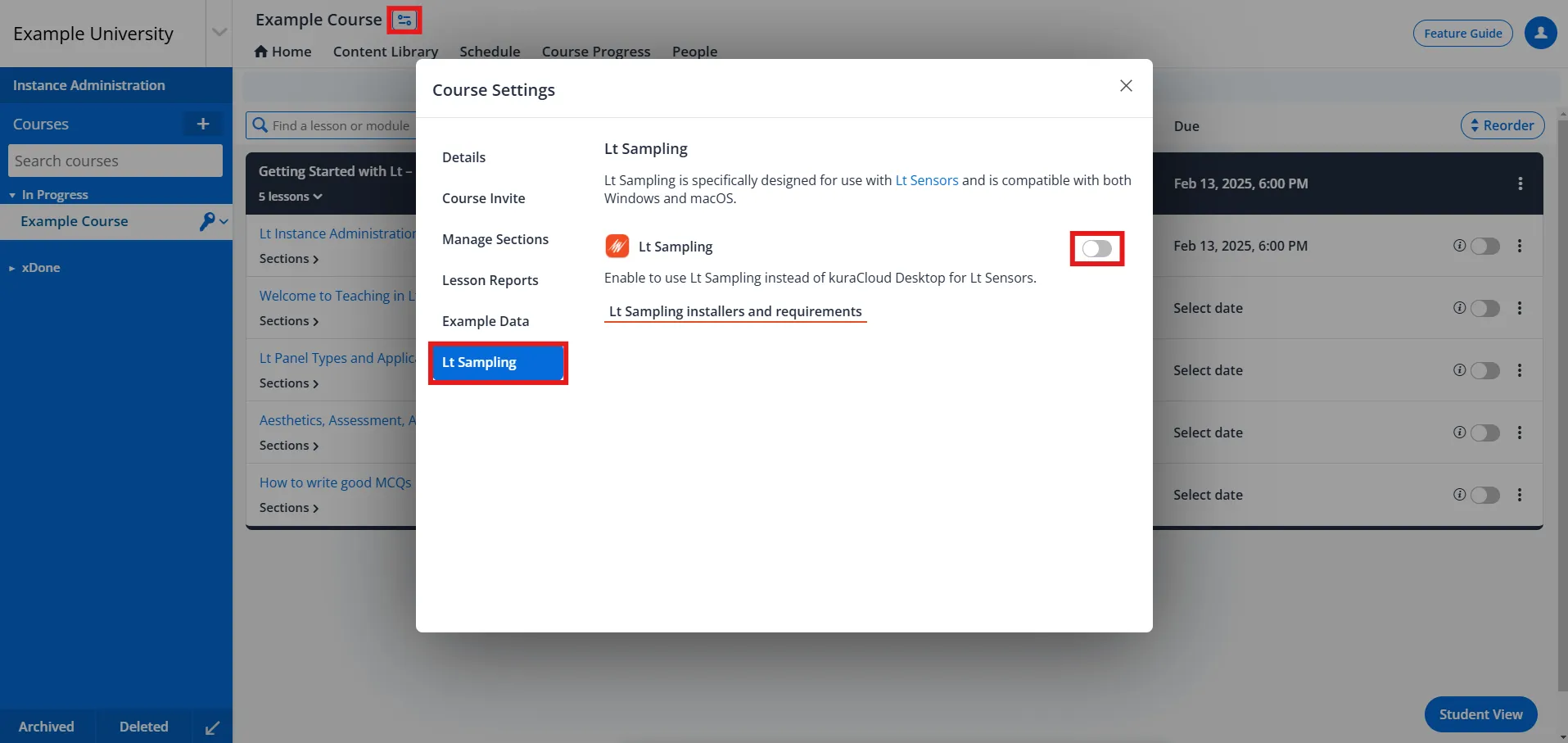
Course administrators can enable Lt Sampling for their course by toggling it on in course settings.
Key Features
- Online data acquisition
- Enhanced stability
- Optimized memory management
- Precise data collection and analysis
- Enhanced device management
- Real-time plotting
- Hands-on experience using PowerLab Sensors for real-life data collection
System Requirements
| System Requirements | Mac | Windows |
|---|---|---|
| Operating System | macOS 10.13 or higher | Windows 10 version 0.0 or higher |
| RAM | 4GB minimum (8GB+ recommended) | 4GB minimum (8GB+ recommended) |
| CPU | N/A | 1 Ghz or faster CPU (2+ Cores) |
| Hard Disk Space | 5GB free hard disk space | 5GB free hard disk space |
| USB | USB 2.0 or later | USB 2.0 or later |
| Internet Connection | Broadband Internet connection | Broadband Internet connection |
NOTE: If Lt Sampling is installed alongside the kuraCloud Desktop Application (KCDA), you must have KCDA version 1.13.4 or higher. If KCDA has never been installed on your device, you may need to manually install the PowerLab driver. For more details, refer to the Windows Documentation.
If both KCDA and Lt Sampling are installed, KCDA is used to communicate with PowerLabs while Lt Sampling is used to communicate with PowerLab Sensors.
Supported Devices
Grip Force Sensor, Finger Pulse Sensor, Biopotential Sensor, Respiratory Belt Sensor, Blood Pressure Sensor, Skin Temperature Sensor, Cardio Microphone Sensor, Tendon Hammer Sensor